GitHub - six-ddc/plow: A high-performance HTTP benchmarking tool with real-time web UI and terminal displaying
Extracto
A high-performance HTTP benchmarking tool with real-time web UI and terminal displaying - GitHub - six-ddc/plow: A high-performance HTTP benchmarking tool with real-time web UI and terminal displaying
Resumen
Resumen Principal
Plow es una herramienta de benchmarking HTTP de alto rendimiento desarrollada como proyecto de código abierto en GitHub. Su principal característica distintiva es la capacidad de ofrecer visualización en tiempo real tanto a través de una interfaz web como mediante terminal, lo que permite a los desarrolladores y equipos de operaciones monitorear el desempeño de sus servicios web de manera inmediata y accesible. La herramienta está diseñada para ejecutar pruebas de carga intensivas, simulando múltiples solicitudes concurrentes para evaluar la capacidad y estabilidad de servidores y APIs bajo condiciones de estrés. Esto la convierte en un recurso valioso para el análisis de rendimiento, optimización de infraestructura y validación de escalabilidad. Al combinar funcionalidad avanzada con interfaces intuitivas, Plow se posiciona como una solución moderna y versátil dentro del ecosistema de herramientas de prueba de carga, especialmente útil en entornos de desarrollo ágil y despliegues continuos donde el monitoreo en tiempo real es esencial.
Elementos Clave
- Alto rendimiento en pruebas HTTP: Plow está optimizado para ejecutar benchmarks HTTP con gran eficiencia, manejando un volumen elevado de solicitudes simultáneas sin comprometer la precisión de las métricas.
- Interfaz web en tiempo real: Ofrece una interfaz gráfica web interactiva que muestra resultados de rendimiento en tiempo real, facilitando la interpretación visual de métricas como latencia, throughput y tasas de error.
- Visualización en terminal: Además de la interfaz web, proporciona retroalimentación detallada directamente en la terminal, ideal para entornos sin interfaz gráfica o integraciones automatizadas en pipelines de CI/CD.
- Diseño orientado a desarrolladores: La herramienta está pensada para ser fácil de usar y desplegar, con una curva de aprendizaje baja y compatibilidad con flujos de trabajo modernos de desarrollo y operaciones.
Análisis e Implicaciones
La existencia de herramientas como Plow refuerza la tendencia hacia la observabilidad en tiempo real en entornos de desarrollo y producción. Su capacidad para ofrecer datos de rendimiento de forma inmediata y en múltiples formatos mejora la capacidad de respuesta de los equipos ante problemas de escalabilidad o rendimiento. Además, al ser de código abierto, fomenta la colaboración comunitaria y la personalización según necesidades específicas.
Contexto Adicional
Plow se suma a un conjunto creciente de herramientas de benchmarking modernas que priorizan la experiencia del usuario y la visualización de datos. Su enfoque dual en interfaces (web y terminal) lo hace adaptable a una amplia gama de entornos técnicos, desde servidores locales hasta infraestructuras en la nube.
Contenido




Plow is a HTTP(S) benchmarking tool, written in Golang. It uses excellent fasthttp instead of Go's default net/http due to its lightning fast performance.
Plow runs at a specified connections(option -c) concurrently and real-time records a summary statistics, histogram
of execution time and calculates percentiles to display on Web UI and terminal. It can run for a set duration(
option -d), for a fixed number of requests(option -n), or until Ctrl-C interrupted.
The implementation of real-time computing Histograms and Quantiles using stream-based algorithms inspired by prometheus with low memory and CPU bounds. so it's almost no additional performance overhead for benchmarking.
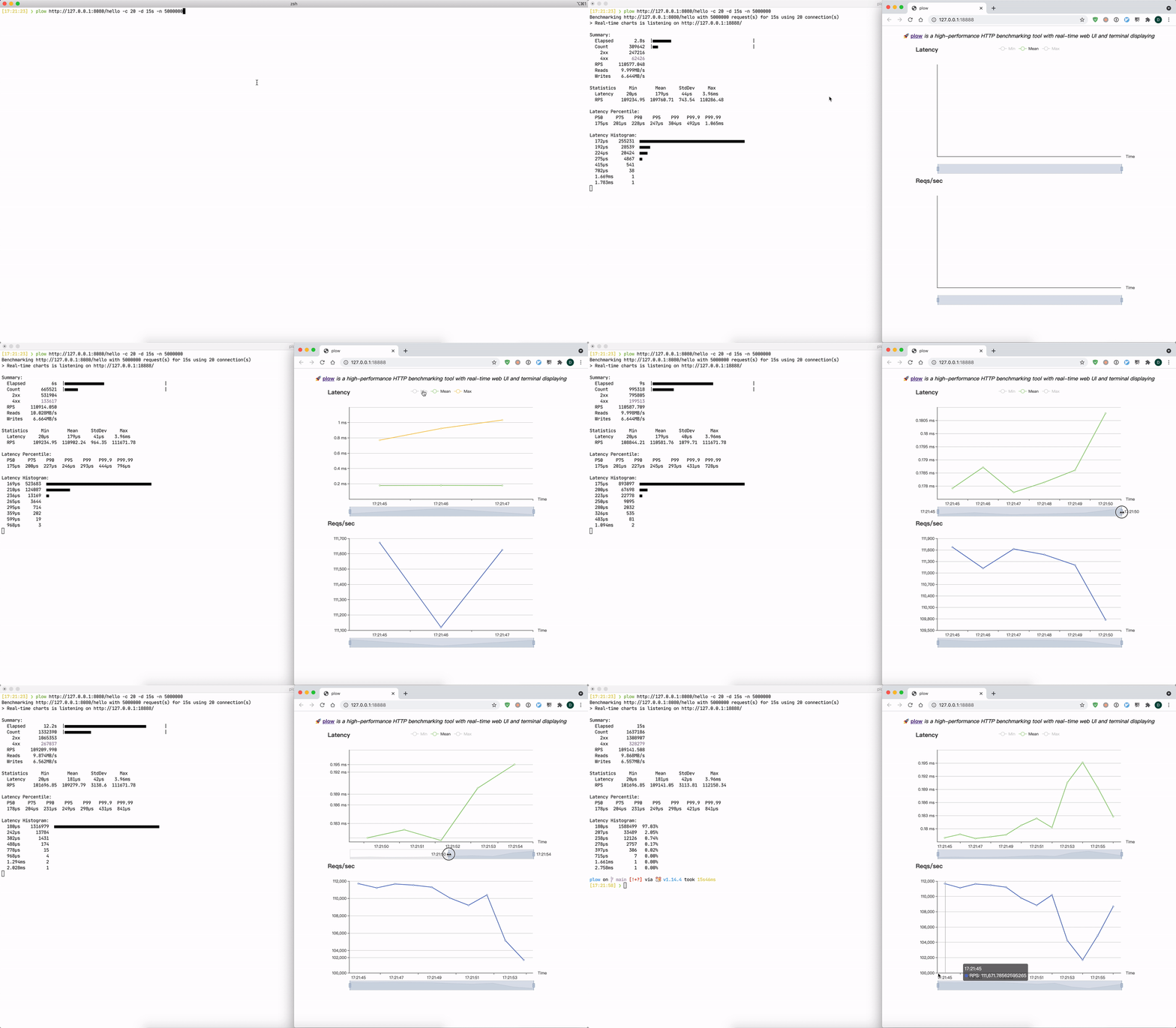
❯ ./plow http://127.0.0.1:8080/hello -c 20
Benchmarking http://127.0.0.1:8080/hello using 20 connection(s).
@ Real-time charts is listening on http://[::]:18888

Summary:
  Elapsed        8.6s
  Count        969657
    2xx        776392
    4xx        193265
  RPS      112741.713
  Reads    10.192MB/s
  Writes    6.774MB/s

Statistics    Min       Mean     StdDev      Max
  Latency     32µs      176µs     37µs     1.839ms
  RPS       108558.4  112818.12  2456.63  115949.98

Latency Percentile:
  P50     P75    P90    P95    P99   P99.9  P99.99
  173µs  198µs  222µs  238µs  274µs  352µs  498µs

Latency Histogram:
  141µs  273028  ■■■■■■■■■■■■■■■■■■■■■■■■
  177µs  458955  ■■■■■■■■■■■■■■■■■■■■■■■■■■■■■■■■■■■■■■■■
  209µs  204717  ■■■■■■■■■■■■■■■■■■
  235µs   26146  ■■
  269µs    6029  ■
  320µs     721
  403µs      58
  524µs       3
Installation
Binary and image distributions are available through the releases assets page.
Via Go
go get -u github.com/six-ddc/plow
Via Homebrew
# brew update
brew install plow
Via Docker
docker run --rm --net=host ghcr.io/six-ddc/plow
# docker run --rm -p 18888:18888 ghcr.io/six-ddc/plow
Usage
Options
usage: plow [<flags>] <url>

A high-performance HTTP benchmarking tool with real-time web UI and terminal displaying

Examples:

  plow http://127.0.0.1:8080/ -c 20 -n 100000
  plow https://httpbin.org/post -c 20 -d 5m --body @file.json -T 'application/json' -m POST

Flags:
      --help                   Show context-sensitive help.
  -c, --concurrency=1          Number of connections to run concurrently
  -n, --requests=-1            Number of requests to run
  -d, --duration=DURATION      Duration of test, examples: -d 10s -d 3m
  -i, --interval=200ms         Print snapshot result every interval, use 0 to print once at the end
      --seconds                Use seconds as time unit to print
  -b, --body=BODY              HTTP request body, if start the body with @, the rest should be a filename to read
      --stream                 Specify whether to stream file specified by '--body @file' using chunked encoding or to read into memory
  -m, --method="GET"           HTTP method
  -H, --header=K:V ...         Custom HTTP headers
      --host=HOST              Host header
  -T, --content=CONTENT        Content-Type header
      --cert=CERT              Path to the client's TLS Certificate
      --key=KEY                Path to the client's TLS Certificate Private Key
  -k, --insecure               Controls whether a client verifies the server's certificate chain and host name
      --listen=":18888"        Listen addr to serve Web UI
      --timeout=DURATION       Timeout for each http request
      --dial-timeout=DURATION  Timeout for dial addr
      --req-timeout=DURATION   Timeout for full request writing
      --resp-timeout=DURATION  Timeout for full response reading
      --socks5=ip:port         Socks5 proxy
      --auto-open-browser      Specify whether auto open browser to show Web charts
      --version                Show application version.

  Flags default values also read from env PLOW_SOME_FLAG, such as PLOW_TIMEOUT=5s equals to --timeout=5s

Args:
  <url>  request url
Examples
Basic usage:
plow http://127.0.0.1:8080/ -c 20 -n 10000 -d 10s
POST a json file:
plow https://httpbin.org/post -c 20 --body @file.json -T 'application/json' -m POSTBash/ZSH Shell Completion
# Add the statement to their bash_profile (or equivalent):
eval "$(plow --completion-script-bash)"
# Or for ZSH
eval "$(plow --completion-script-zsh)"
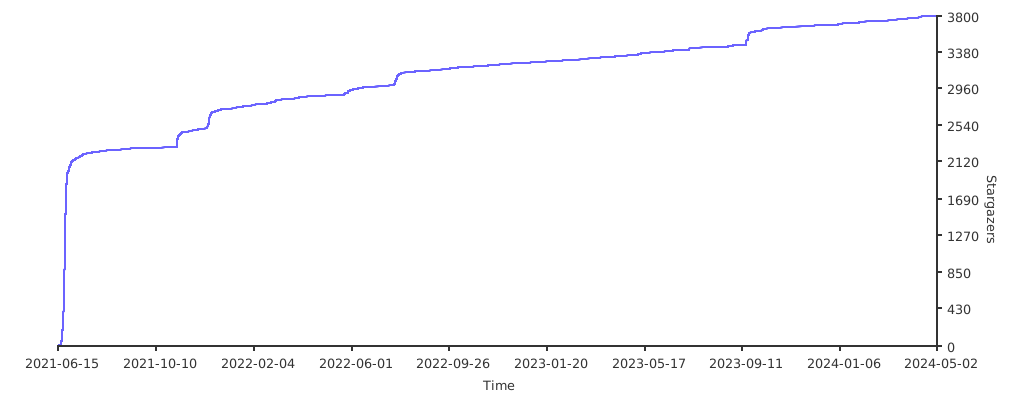
Stargazers
License
See LICENSE.
Fuente: GitHub