GitHub - paulirish/lite-youtube-embed: A faster youtube embed.
Extracto
A faster youtube embed. Contribute to paulirish/lite-youtube-embed development by creating an account on GitHub.
Contenido
Lite YouTube Embed 

Renders faster than a sneeze.
Provide videos with a supercharged focus on visual performance. This custom element renders just like the real thing but approximately 224× faster.
Demo: https://paulirish.github.io/lite-youtube-embed/
Comparison
Normal <iframe> YouTube embed |
lite-youtube |
|---|---|
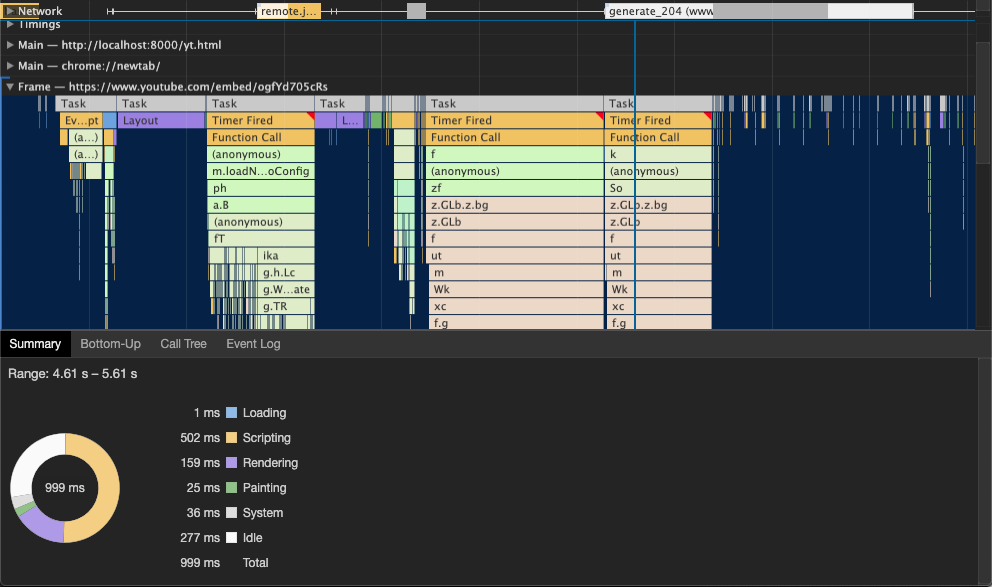   |
 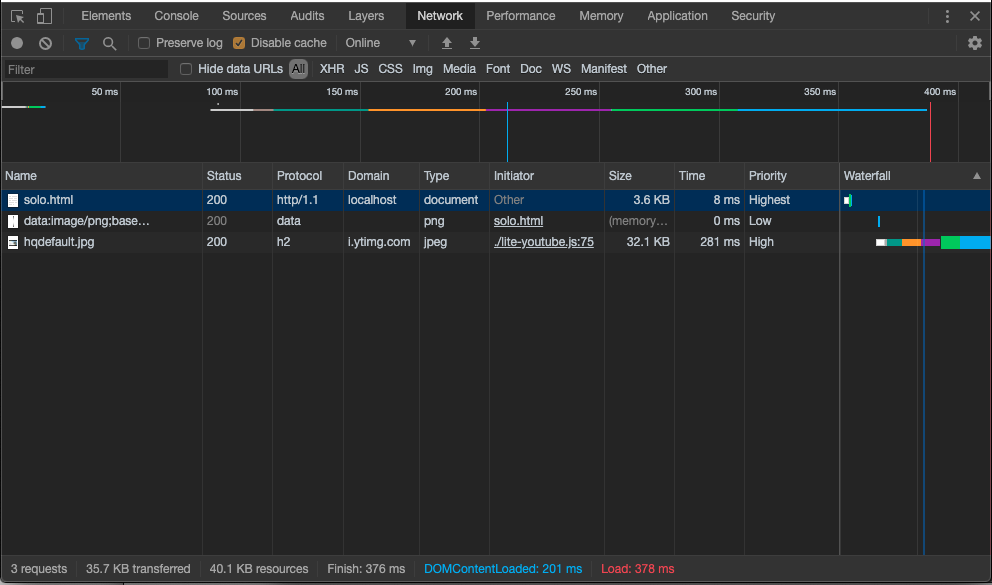  |
Basic usage
Use the lite-youtube-embed npm package or download from this repo and use src/.
To use the custom element you will need to:
- Include the stylesheet within your application
- Include the script as well
- Use the
lite-youtubetag via HTML or JS. - Be happy that you're providing a better user experience to your visitors
<!-- Include the CSS & JS.. (This could be direct from the package or bundled) -->
<link rel="stylesheet" href="node_modules/lite-youtube-embed/src/lite-yt-embed.css" />

<script src="node_modules/lite-youtube-embed/src/lite-yt-embed.js"></script>

<!-- Use the element. You may use it before the lite-yt-embed JS is executed. -->
<lite-youtube videoid="ogfYd705cRs" playlabel="Play: Keynote (Google I/O '18)"></lite-youtube>
Privacy note: lite-youtube uses youtube-nocookie.com instead of youtube.com in order to be more privacy friendly for end users.
Custom Player Parameters
YouTube supports a variety of player parameters to control the iframe's behavior and appearance.
These may be applied by using the params attribute.
<!-- Example to show a video player without controls, starting at 10s in, ending at 20s,
     with modest branding *and* enabling the JS API -->
<lite-youtube videoid="ogfYd705cRs" params="controls=0&start=10&end=30&modestbranding=2&rel=0&enablejsapi=1"></lite-youtube>
Note that lite-youtube uses autoplay=1 by default.
Demo: https://paulirish.github.io/lite-youtube-embed/variants/params.html
Pro-usage: load w/ JS deferred (aka progressive enhancement)
Use this as your HTML, load the script asynchronously, and let the JS progressively enhance it.
<lite-youtube videoid="ogfYd705cRs" style="background-image: url('https://i.ytimg.com/vi/ogfYd705cRs/hqdefault.jpg');">
  <a href="https://youtube.com/watch?v=ogfYd705cRs" class="lty-playbtn" title="Play Video">
    <span class="lyt-visually-hidden">Play Video: Keynote (Google I/O '18)</span>
  </a>
</lite-youtube>
Demo: https://paulirish.github.io/lite-youtube-embed/variants/pe.html
Custom poster image
If you want to provide a custom poster image, just set it as the background-image, and lite-yt will not overwrite it:
<lite-youtube videoid="ogfYd705cRs" style="background-image: url('https://i.ytimg.com/vi/ogfYd705cRs/hqdefault.jpg');"></lite-youtube>
Demo: https://paulirish.github.io/lite-youtube-embed/variants/custom-poster-image.html
Other fast YouTube embeds
- <lite-youtube> using shadow DOM:
justinribeiro/lite-youtube👍 - React port 1:
ibrahimcesar/react-lite-youtube-embed - React port 2:
kylemocode/react-lite-yt-embed - Vue port:
andrewvasilchuk/vue-lazy-youtube-video
Other third-party facades
- Lite Vimeo Embed:
luwes/lite-vimeo-embed - <lite-vimeo>:
slightlyoff/lite-vimeo - React Live Chat Loader (Intercom, Help Scout, Drift, Facebook Messenger):
calibreapp/react-live-chat-loader - Intercom chat facade:
danielbachhuber/intercom-facade/
Fuente: GitHub